1. Purpose of This Guide
This artefact proves that employees have passed the official PDPA e-assessment with a minimum score of 80%, as required under PDPA Data Protection Essentials Clause 5.1.2.
The goal here is simple:
-
Training tells staff what to do
-
The e-assessment proves they actually understood it
Assessors look for clear evidence that PDPA knowledge isn’t just theoretical — it’s been tested and tracked at the organisation level.
2. What You Will Submit
You will upload records from the PDPA e-assessment system showing staff results.
This is usually:
-
A screenshot or exported report from the PDPC e-assessment portal
-
Showing multiple employees (not just one)
-
Clearly indicating scores of 80% or higher
3. How to Collect / Obtain This Evidence
Step 1: Ensure staff complete the PDPA e-assessment
Employees must complete the official PDPA e-assessment via the **Personal Data Protection Commission (PDPC)**platform using your organisation’s corporate account.
Each staff member must achieve:
- At least 80% pass score
Step 2: Access assessment results
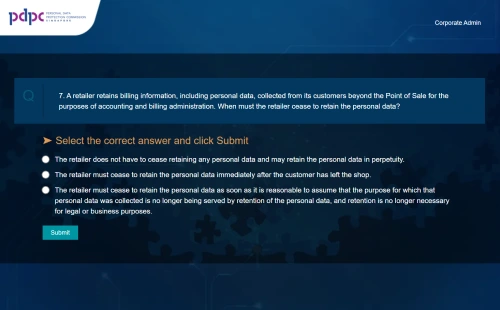
-
Log in to your organisation’s PDPC corporate account
-
Go to the assessment results / reporting section
-
View the list of employees and their scores
-
Confirm that the displayed scores meet or exceed 80%
Step 3: Capture evidence
Take a screenshot (or export a report) that shows:
-
Employee names or identifiers
-
Completion status
-
Scores (with 80%+ clearly visible)
You may redact:
-
NRICs
-
Email addresses
-
Any unnecessary personal identifiers
4. Evidence Format
-
Accepted file types: PNG, JPG, PDF
-
Recommended naming format:
YourCompanyName_PDPA_AssessmentResults_YYYY-MM-DD.pngExample:
AcmeClinic_PDPA_AssessmentResults_2025-07-01.png
5. What “Good” Looks Like
Strong PDPA assessment evidence includes:
-
Visible Element: PDPC platform or portal view
Why it matters: Confirms results are from the official source. -
Visible Element: Multiple employees listed
Why it matters: Shows organisation-wide compliance, not one-off training. -
Visible Element: Scores of 80% or higher
Why it matters: Directly fulfils Clause 5.1.2 requirements. -
Visible Element: Completion dates
Why it matters: Demonstrates training is current and tracked.
If an assessor can quickly see who passed, when, and with what score, you’re done.
6. Tips from Sir Stonk 🗡️
-
Redaction is fine — missing scores are not. Keep pass marks visible.
-
If a staff member didn’t pass initially, include the final passing attempt only.